Segment the ECG
Identify the PQRST components to establish the waveform structure used by the next stage of analysis.
ECG recording → PQRST segments
Locate candidate anomalies. Bring clinical judgment to every boundary.
A visual workspace for clinicians to review and refine ECG annotations.
The project connects ECG segmentation with clinical review. First, the recording is segmented into P, Q, R, S, and T components. Clinical rules then use that structure to localize candidate anomalous segments and generate preliminary annotations, or pseudo-labels.
ECG Verification brings those candidates into a visual workspace where doctors can inspect the waveform, refine the marked region, and add anomaly types. The goal is to support precise annotation, with clinical judgment guiding the final interpretation.
Identify the PQRST components to establish the waveform structure used by the next stage of analysis.
Apply clinical rules to the segmented signal to propose regions of interest. These pseudo-labels give clinicians a starting point for review.
Inspect each candidate in context. Move or resize its bounding box, add missed regions, remove unsuitable annotations, and assign or add anomaly types.
Review candidate regions across twelve leads.
Focus on a lead to refine its annotations.
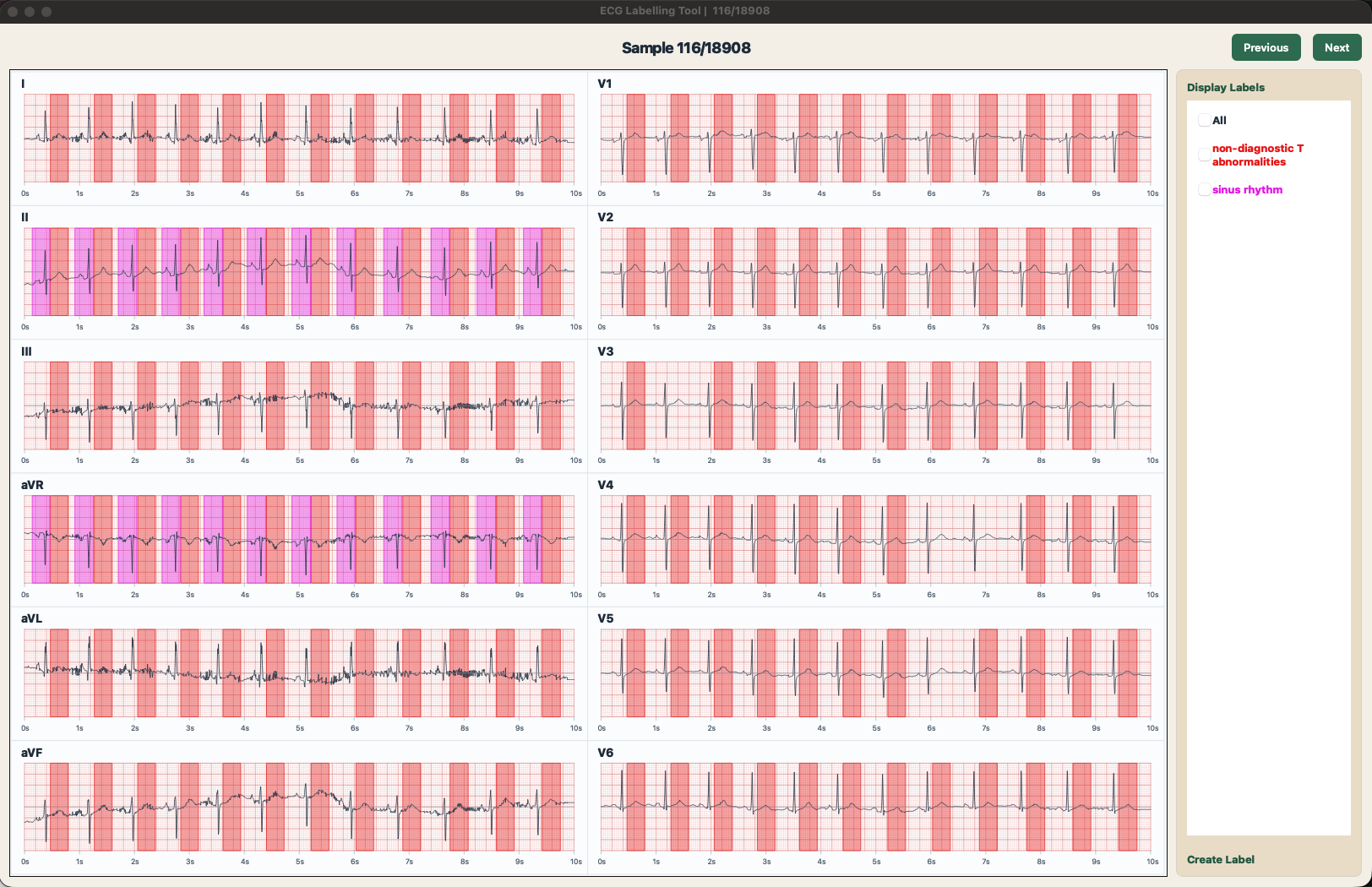
Select a lead to inspect its waveform.
Then move a box or adjust its width.
Try moving and resizing bounding boxes on a red ECG grid, by dragging inside a box or using its left and right handles. Edits stay in this preview during your visit; signals and annotations are illustrative. Anomaly-type management is available in the desktop app.